
Lets face it, at one point or another we will all experience disconnects while livestreaming. Disconnects cause interruptions during our livestreams, viewers leave, and multiple VODs are created. Thankfully, Twitch offers an option to help avoid these problems. This post will show you how to enable Disconnect Protection.

Twitch’s disconnect protection will display a disconnected image for up to 90 seconds in case a streamer disconnects while live. This allows the streamer time to resolve the issue and resume their livestream without ending the broadcast or creating multiple VODs.
How to Enable
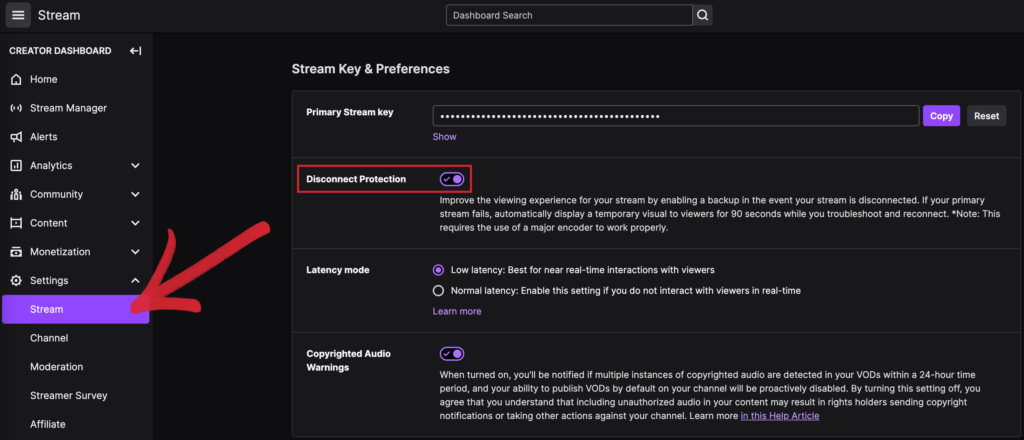
Disconnect protection can be enabled from the Creator Dashboard, located under Settings > Stream. From there, just toggle on Disconnect Protection. Once enabled, you will have 90 seconds to resume your livestream the next time you are disconnected. If the 90 seconds are exceeded, the stream will go offline as normal until you go live again.